Choose a different device or app
Mobile
Mail on an iPhone or iPad
Use the Mail app that comes with your iPhone or iPad. You do not need to install another email app.
Step by step
Follow these steps
Open Settings
Open the Settings app on your iPhone or iPad. Scroll down and tap Apps.
Find Mail
Tap Mail, then Mail Accounts.
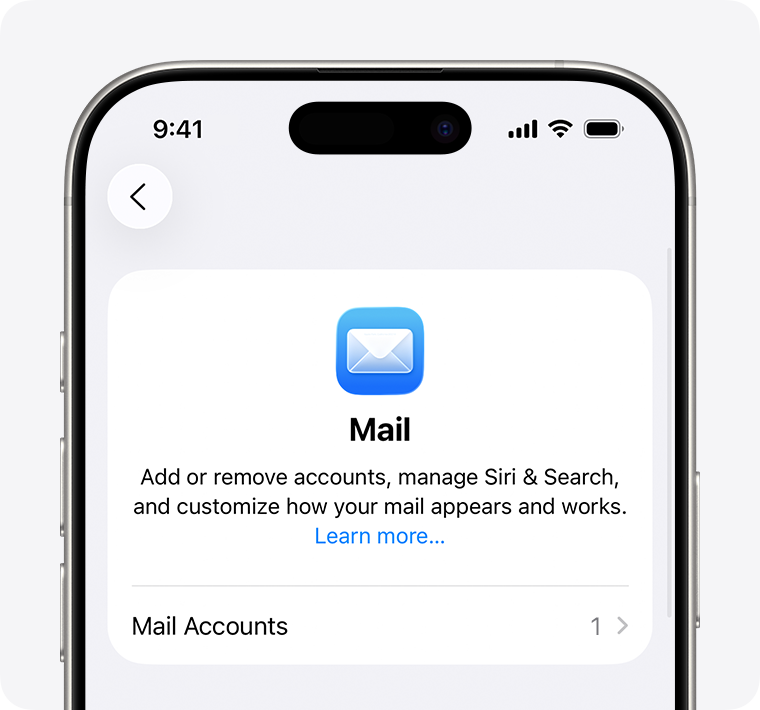
Add your email address
Tap Add Account. Enter the full business email address we gave you, then tap Next.
Choose the other-account option
Tap Add Other Account, then Mail Account.
Fill in your account details
Enter your name, your full email address and your email password. In Description, type a name you will recognize, such as Work email. Tap Next.
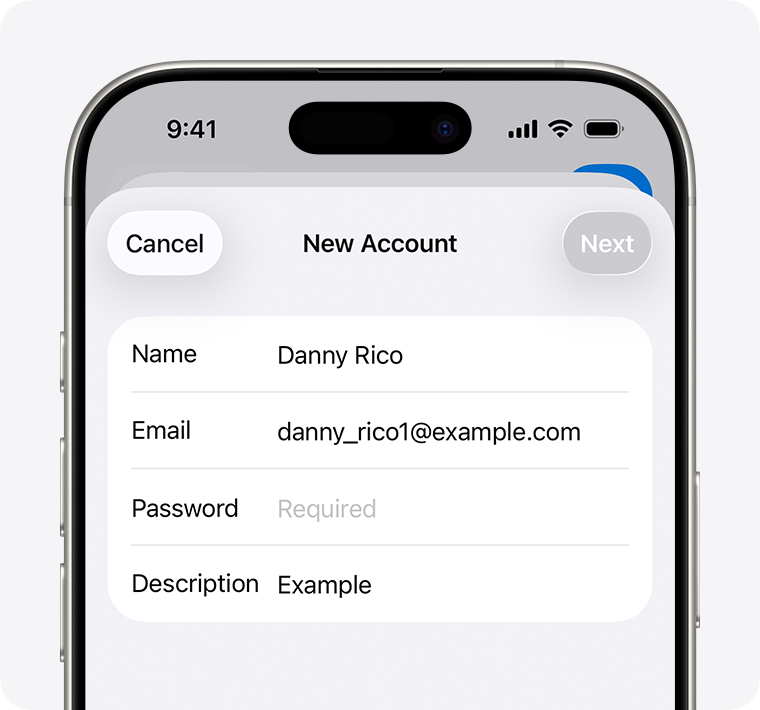
Choose IMAP if asked
If Mail cannot find your settings automatically, select IMAP at the top of the next screen.
Fill in Incoming Mail Server
For Host Name, use fusion.mxrouting.net. For User Name, enter your full email address. Enter your email password in Password.
fusion.mxrouting.netFill in Outgoing Mail Server
Enter the same Host Name, full email address and password again. Fill in the username and password even if the screen says Optional.
Save your account
Tap Next and wait for the check to finish. Tap Save or Done when offered. If you see a Mail switch, leave it turned on.
Open the Mail app
Your business account should appear in Mail. Send an email to another account you can open, then reply to check that messages arrive.
Email settings to copy
Use these exact details
Keep this open while you fill in your email app. Select any value yourself if copying does not work.
fusion.mxrouting.net993SSL/TLS465https://fusion.mxrouting.net/roundcube/- Username
- Your complete email address
- Password
- Your email password
- Outgoing sign-in
- Required
Do not enter or save a password on this guide website.
Helpful notes
Keep in mind
Older iOS menus
Earlier releases may go directly from Add Account to Other → Add Mail Account. Do not look for the old top-level Mail settings menu on a newer iPhone.
Certificate warning
Stop if the certificate does not match the server. Recheck that the hostname is fusion.mxrouting.net; do not switch to an unencrypted connection.
About this guide
Version: iOS / iPadOS · current Settings → Apps flow
Documentation checked: September 18, 2026
Method: Official documentation reviewed
Sources